
No products in the cart.
Return To Shop
Home Office Organization Ideas: A Practical System That Actually Works
A home office can become cluttered even when you have enough space, suitable furniture and all the supplies you need. Papers pile up, cables spread across the desk, and everyday essentials become difficult to find.
The problem isn’t always a lack of storage. Often, items simply don’t have clear, convenient places to belong.
The most useful home office organization ideas start with understanding how you work. Before buying organizers or rearranging everything, decide what you need close at hand, what can be stored elsewhere and which recurring problems make your workspace harder to use.
If you’re still establishing the practical foundation of your workspace, our guide to remote work setup explains how to build a workspace around your needs before organizing the things within it.
This guide covers practical ways to organize your desk, paperwork, office supplies, cables and storage, adapt the system to different spaces, and keep it manageable over time.
The goal isn’t a perfectly tidy office every minute. It’s a system that makes your workday easier without becoming another task to manage.
Start by Identifying What Needs Organizing
Before moving things around, identify what’s making your home office difficult to use. A crowded desk might indicate too many belongings, but it could also mean that paperwork has no designated place or frequently used supplies are inconvenient to reach.
Start by understanding the problem rather than simply moving clutter elsewhere.
Notice Where Clutter Builds Up
Observe your workspace during a normal workday. Where do papers accumulate? Which items repeatedly get in the way? Do you often search for supplies you know you own?
Pay particular attention to areas that become messy soon after being tidied. Recurring clutter often reveals a problem with the way items are stored or used.
For example, a recurring pile of documents may need a simple review-and-filing process, while scattered stationery may need a more convenient home.
Identify two or three problems that cause the most frustration. You can address them one at a time instead of attempting to reorganize the entire office at once.
Separate Daily-Use Items From Occasional-Use Items
Consider how often you use each item before deciding where it belongs.
Everyday essentials should generally be easy to reach. Supplies used occasionally can be stored nearby, while rarely used belongings may not need to occupy the main work area.
The distinction is between keeping something accessible and keeping it permanently on your desk. A designated drawer can be just as practical as an open surface if you can retrieve the item easily.
Define What an Organized Workspace Means for You
An organized workspace should reflect your work habits. Someone who works mainly on a computer may need little more than essential equipment and a few supplies, while someone who handles physical documents or creative materials may need more items nearby.
Ask yourself:
- What do I need to reach quickly during a normal workday?
- Which items repeatedly get in the way?
- What would make it easier to finish work and prepare the space for tomorrow?
Use your answers to establish a practical starting point. The aim isn’t an immaculate desk; it’s a workspace where you can find what you need and return to work without first having to clear a space.
Decide What Belongs in Your Home Office
Once you’ve identified the main sources of clutter, decide which items genuinely belong in your workspace. Work-related belongings can quickly crowd a desk and fill drawers when everything is kept nearby by default.
Give each item a place according to its purpose and how often you use it.
Keep Essential Work Items Close
Identify the things you use during a typical workday, such as your computer, notebook, pens, current paperwork and essential accessories.
Keep everyday necessities convenient to reach, but distinguish between items that need to remain on the desk and those that simply need to be accessible. Frequently used supplies may deserve a nearby drawer rather than a permanent place on the desktop.
The objective is to make everyday tasks convenient without allowing your work surface to become general storage.
Move Occasional-Use Items Out of the Main Work Area
Spare stationery, reference materials, backup supplies and equipment used for specific tasks can usually be stored away from the main work surface.
Group related items so you can retrieve them when needed, but don’t give rarely used belongings the most convenient locations in your workspace. An item you use every afternoon may still deserve nearby storage; one you haven’t touched in months may need reassessing.
Accessibility should reflect actual use, not the possibility that you might need everything someday.
Remove Duplicates, Unused Supplies and Unrelated Items
Before organizing what’s left, reduce the number of belongings you need to manage.
Check for duplicate supplies, empty packaging, broken accessories, outdated paperwork and items that no longer serve a purpose. Also identify household belongings that have accumulated in the office without a deliberate place.
Start with one drawer, shelf or desk area rather than turning the task into a major decluttering project. Keep what serves a purpose, relocate what belongs elsewhere and remove what you no longer need.
With fewer unnecessary items to manage, arranging your desk and storage becomes much easier.
Organize Your Desk Around How You Work
Your desk should support the tasks you perform every day. It doesn’t need to be completely empty; it needs to keep essential items accessible without letting unrelated belongings take over the work surface.
Start with your actual routine and organize around the activities you perform most often.
Decide What Needs to Stay on the Desktop
Keep your computer and other tools you regularly use on the desk. For everything else, consider whether it needs to remain visible or could be stored nearby.
A notebook you consult throughout the day may deserve a permanent place, while old documents and spare cables can usually be moved elsewhere. Return the items you need regularly and store the rest appropriately.
The goal is a functional work surface, not an artificially bare one.
Keep Frequently Used Items Within Reach
Consider which items you repeatedly reach for during the day. If you regularly search for stationery, move documents aside to find something or get up to retrieve a commonly used accessory, its current location may not be practical.
Place everyday essentials within comfortable reach and store occasional-use items farther away. Arrange belongings according to how you use them, rather than simply grouping everything by size or appearance.
Create Simple Zones for Different Tasks
If your work involves several activities, designate simple areas for them. You might have a main computer area, a small space for reviewing paperwork and a place for materials related to a current task.
These zones don’t require dividers or a large desk. They simply give related activities and their essential items a consistent place.
If most of your work happens on a computer, one main zone may be enough. Add further zones only when they make switching between tasks easier.
Give Drawers a Clear Purpose
Drawers are useful when you know broadly what belongs in each one. For example, one might hold everyday stationery while another contains reference materials or less frequently used accessories.
Related items can share a drawer; you don’t need a separate compartment for everything. Avoid turning empty drawers into catch-all spaces for belongings you haven’t decided where to keep.
If you repeatedly struggle to find something or a drawer keeps overflowing, reassess what belongs there.
A desk organization system works best when everyday items are easy to find and return. Apply the same principle to your paperwork and office supplies, which need their own straightforward arrangement.
Create a Simple System for Papers and Office Supplies
Paperwork and everyday supplies can accumulate even in a mostly digital home office. The solution is to give documents a clear next step and keep frequently used supplies easy to find.
Separate Incoming, Active and Filed Paperwork
If you handle physical documents, separate them into three practical categories:
- Incoming: Documents that need to be reviewed or dealt with.
- Active: Documents you’re currently working on or need soon.
- Filed: Records that must be retained for reference.
Give each category a designated place. Incoming paperwork should not become a permanent pile on the desk, and completed documents should move out of the active work area when they’re no longer needed.
A few broad categories may be sufficient for a small home office. If you handle many documents, more specific filing categories can make retrieval easier.
The important thing is to decide what happens to a document after it arrives rather than repeatedly moving the same pile around.
Give Everyday Supplies a Designated Place
Group similar supplies, such as pens, notebooks, sticky notes and clips. Keep the items you use regularly convenient to reach, and store less frequently used materials elsewhere.
Consider how you actually work. If you reach for a pen several times a day, it should be easy to retrieve and return. Supplies used for occasional tasks don’t need to occupy the same space as daily essentials.
Remove duplicate or unused supplies when they no longer serve a purpose. You need to know where your essentials are—not maintain a large collection of stationery.
Keep Backups and Less-Used Supplies Separate
Keep spare stationery, replacement supplies and occasional-use materials separate from the items you rely on every day.
This frees up convenient storage for active work and makes it easier to see what you already own before buying replacements. Review your backups periodically and remove items you no longer need.
Once paperwork and supplies have clear places, apply the same approach to cables, chargers and devices that support your everyday work.
Organize Cables, Devices and Everyday Tech
Cables, chargers, adapters and small devices can easily crowd a home office. The aim is to know what you use, keep active equipment manageable and store spare accessories so they’re easy to identify.
Group Cables and Chargers by Purpose
Identify the cables and chargers you actually use, distinguishing active connections from spares and occasional-use accessories.
Keep regularly used cables accessible and store spare ones together, grouped by purpose where that makes identification easier. If you cannot identify a cable or no longer need it, don’t keep it indefinitely simply because it might be useful someday.
This makes it easier to find the right connection without searching through a collection of tangled accessories.
Give Frequently Used Devices a Consistent Place
Headphones, external drives, calculators and other everyday accessories are easier to manage when you know where they belong.
Choose locations based on how often you use each device. Keep daily-use accessories convenient to reach, while storing occasional-use equipment elsewhere. If an item moves between rooms, decide where it should return after use.
Related accessories can share a designated area; you don’t need an individual storage solution for every device.
Separate Active Equipment From Spare Accessories
Keep the equipment you currently use distinct from replacement cables, spare adapters and accessories reserved for occasional tasks.
Check whether older accessories still serve a purpose before storing them. Keep useful spares together and make sure their purpose is reasonably clear, so you can identify them when needed.
This prevents unused equipment from occupying the most convenient parts of your workspace.
Keep Charging and Connection Areas Manageable
Decide which charging connections need to remain in place and where portable devices should go when charging is complete.
Group cables by purpose and route them so they are less likely to tangle or interfere with everyday tasks. Avoid pulling cables tightly, placing them where they could be damaged or overloading electrical outlets.
You don’t need to hide every cable. You need to know which connections are active and keep the rest manageable.
With your everyday technology organized, the next step is to make your existing drawers, shelves and cabinets work more effectively.
Make the Most of the Storage You Already Have
An organized home office doesn’t necessarily need more storage. Drawers, shelves and cabinets often work better once each has a clear purpose.
Before buying anything, review what you already have and whether it’s being used effectively.
Assign Existing Drawers, Shelves and Cabinets Specific Roles
Give storage areas broad, practical purposes. For example, a drawer might hold everyday stationery, a shelf could contain reference materials, and a cabinet might be used for paperwork or backup supplies.
Related items can share a space as long as you can find and return them easily. If a drawer contains unrelated belongings, reconsider whether they need separate homes.
The goal is not to create a detailed category for everything. It’s to make your existing storage predictable and easy to use.
Use Vertical Space Where It Makes Sense
Consider whether shelves or other existing vertical storage areas could free up your main work surface. Reference materials, occasional-use supplies and certain accessories may be better stored nearby than left on the desk.
Don’t fill every available shelf simply because space exists. Keep frequently used items convenient to reach, and reserve less prominent locations for items you access less often.
Storage should make the workspace easier to use, not create another area that needs constant management.
Choose Storage According to What You Need to Access
Place belongings according to how frequently you need them and how easily you must retrieve them.
Everyday stationery may belong near the desk, while archived paperwork can be stored farther away. Spare accessories can share a designated area without occupying the most convenient spaces.
Consider how easy it is to put things back, too. If returning an item requires moving several other belongings, the arrangement may be impractical.
Add Storage Only After Identifying a Real Need
If your existing storage still cannot accommodate essential belongings after sorting and rearranging, additional storage may be worthwhile.
First remove unnecessary items, group related belongings and make better use of available space. Then identify the specific problem that remains, such as having no suitable place for active paperwork.
Buying organizers before sorting your belongings can simply create more places for unused items to accumulate. Sometimes the better solution is to reduce what you keep or change where something belongs.
The principle is simple: identify the need first, then decide whether additional storage will genuinely solve it.
Adapt Your Organization System to Your Space
Not everyone has a dedicated home office. You might work from a bedroom corner, a small desk or a room shared with other activities. Your organization system should fit the space you have rather than depend on an ideal office arrangement.
The principles remain the same: identify what you need, give belongings consistent places and keep work materials manageable. The details depend on your living arrangement.
Organizing a Small Home Office
In a small workspace, unnecessary belongings can quickly crowd the available surface.
Keep daily essentials accessible and move occasional-use supplies, spare equipment and reference materials to suitable storage elsewhere. Group related items so each area has a clear purpose, and avoid filling every drawer or shelf simply because space is available.
The aim is to give essential work items a manageable place without trying to fit an entire office into a limited area.
Organizing a Bedroom Workspace
A bedroom workspace must coexist with personal belongings and an environment used for rest.
Give work materials a defined home, such as a designated drawer or storage area, and decide where they should go when you’re finished using them. If your desk serves several purposes, make it easy to clear work materials when switching activities.
You don’t have to hide every sign of work. The goal is to keep work belongings contained so they don’t gradually spread through the room.
Organizing a Shared or Multipurpose Room
When one room serves several purposes, give work materials a consistent place separate from belongings used for other activities.
Keep daily essentials accessible and store occasional-use items together. If some equipment moves between locations, decide where it should return after use; keep paperwork for ongoing tasks grouped together.
A shared room doesn’t need a complicated system. It needs clear boundaries for belongings and a straightforward way to put things away.
Keeping Work Items Contained When the Workday Ends
At the end of the workday, return supplies to their designated places, put completed paperwork away and gather portable devices or accessories.
Keep unfinished work materials together rather than leaving them scattered across several surfaces. A short reset can restore order without requiring a major tidying session.
Your workspace should fit both where you live and how you work. The next step is to keep the system simple enough to maintain on ordinary, busy days.
Reduce Clutter Without Overcomplicating the System
An organization system can become difficult to maintain if it involves too many categories, unnecessary steps or constant rearranging. The goal is to make work easier, not turn tidying into another demanding task.
Avoid Turning Drawers Into Catch-All Spaces
Putting items out of sight doesn’t automatically make a workspace organized. When unrelated belongings collect in the same drawer, finding something can become a search rather than a simple task.
Give each storage area a clear, practical purpose. If a drawer repeatedly becomes cluttered, consider whether the items belong together or whether the arrangement is inconvenient.
Keep Work Surfaces Manageable
Let your desk support the work you’re doing rather than become a temporary home for everything that enters the room.
Materials for an active task can remain accessible while you’re using them. When the task is finished, return supplies to their usual places and move completed paperwork out of the active work area.
You don’t need to clear the desk after every small action. Focus on preventing unrelated belongings from accumulating until they interfere with your work.
Organization helps determine where things belong. If you’d also like to make the space feel more personal and visually cohesive, our guide to home office decor covers the decorative side of the workspace.
Choose a System You Can Follow on Busy Days
A system that works only when you have plenty of time is unlikely to last. If putting things away requires too many steps, you’ll be more likely to leave them where they are.
Keep everyday arrangements straightforward and introduce detailed categories only when they solve a genuine problem. Some paperwork may need careful filing; ordinary supplies may need only a consistent place.
The right level of organization is the one that supports your work without demanding constant attention. A short, repeatable routine can then help maintain it over time.
Build a Routine That Keeps Your Home Office Organized
Even a workable organization system can gradually break down as papers accumulate, supplies remain out and belongings drift from their usual places. A few simple habits can prevent this from becoming another major reorganization project.
Use a Short End-of-Day Reset
Before finishing work, return supplies to their usual places, move completed paperwork out of the active work area and gather materials for unfinished tasks.
Keep anything that needs attention tomorrow together in its designated place rather than scattered across the desk.
The reset doesn’t need to make the office perfect. It should simply leave the workspace ready for the next workday. Keep it short enough to follow even when you’re busy.
Review Paperwork and Supplies Regularly
Some tasks are easier to handle periodically. Review active paperwork, check supplies and reassess storage areas when they begin to fill up.
File documents that no longer need immediate attention, remove supplies you no longer need and return misplaced items to their appropriate areas. Choose a review frequency that fits your workload rather than imposing an unnecessarily rigid schedule.
Addressing small problems early helps prevent them from becoming larger organizing tasks.
Reassess the System When Your Work Changes
Your needs may change as you take on different projects, handle more paperwork or use new equipment. An arrangement that once worked well may no longer be practical.
If the same area repeatedly becomes cluttered, consider whether its purpose or location still makes sense. You may need to adjust a storage category, move a frequently used item or simplify an arrangement.
Make small changes when necessary rather than reorganizing everything. Your system should evolve with your work.
Common Home Office Organization Mistakes
A few common mistakes can make home office organization harder than necessary. Avoiding them helps you build a system that remains useful beyond the initial tidy-up.
Buying Storage Before Sorting Your Belongings
Buying containers or shelves before deciding what to keep can create more places for unnecessary items to accumulate. Sort your belongings first, then identify whether a genuine storage problem remains.
Trying to Organize Everything at Once
Reorganizing an entire office in one session can feel overwhelming and disrupt your work. Start with one problem area, such as the desktop, a stationery drawer or incoming paperwork, and move to the next once you’ve established a workable arrangement.
Keeping Items Without Giving Them a Place
Useful items still contribute to clutter when you don’t know where they belong. Decide where retained belongings should normally be kept, using broad categories where appropriate rather than creating an elaborate system for every item.
Creating an Organization System That Is Too Complicated
Too many categories and unnecessary steps can make putting things away feel like work in itself. Keep everyday arrangements simple, adding detail only when it helps you locate or manage something more effectively.
Organizing for an Ideal Routine Instead of Your Real One
A system that looks tidy but doesn’t suit your habits is unlikely to last. Notice which items you reach for repeatedly and where clutter returns. Adjust those arrangements to fit how you actually work rather than trying to follow an unrealistic ideal.
Home Office Organization Checklist
Use this checklist to organize your workspace in manageable stages. You don’t need to complete everything at once.
1. Clear
- Identify the areas where clutter builds up.
- Remove unnecessary, duplicate or unused items.
- Move unrelated belongings elsewhere.
2. Sort
- Group items by purpose and frequency of use.
- Separate incoming, active and filed paperwork.
- Review cables, chargers and spare accessories.
3. Assign
- Decide what belongs on the desktop.
- Give everyday essentials convenient places.
- Assign clear purposes to drawers, shelves and cabinets.
- Keep backup supplies separate from daily-use items.
4. Arrange
- Organize the desk around your regular tasks.
- Make sensible use of existing storage.
- Adapt the system to the space you have.
- Add storage only if a genuine need remains.
5. Maintain
- Return items to their designated places after use.
- Use a short end-of-day reset.
- Review paperwork and supplies periodically.
- Adjust the arrangement when your work habits change.
Start with one problem area, establish a workable arrangement and build from there. The goal is a system that remains useful without becoming another demanding task.
Frequently Asked Questions
How Do I Organize My Home Office?
Start by removing unnecessary items, grouping related belongings and assigning places to everyday essentials, paperwork and equipment. Then establish a simple routine to maintain the arrangement. Begin with the area that causes the most difficulty rather than tackling the entire office at once.
How Can I Organize a Small Home Office?
Prioritize essential items, use existing storage effectively and keep occasional-use supplies away from the main work area. Give belongings consistent places so you can find and return them without crowding the limited space.
What Should I Keep on My Desk?
Keep the items you regularly need for work, such as your computer, frequently used stationery and current task materials. Store occasional-use supplies, backups and unrelated belongings elsewhere when practical.
How Can I Keep My Desk Organized Throughout the Workday?
Return items after use when practical, keep materials for active tasks together and move completed paperwork out of the work area. A short end-of-day reset can help maintain order without constant tidying.
How Can I Organize My Home Office Without Buying Anything?
Remove unnecessary belongings, group related items and assign clear purposes to existing drawers and shelves. Before buying storage, try changing where items belong or simplifying the arrangement you already have.
Conclusion
An organized home office doesn’t require a large room, perfectly arranged drawers or more storage accessories. It requires a system that fits the way you work.
Start by identifying the main sources of clutter, removing what you don’t need and giving everyday essentials, paperwork and equipment clear places. Make sensible use of your existing storage, and keep the arrangement simple enough to maintain.
You don’t need to change everything at once. Choose the part of your workspace that causes the most frustration, make one practical improvement and build from there.
The goal isn’t a perfectly tidy office every minute. It’s a workspace where the things you need are easy to find, easy to put away and manageable even when work gets busy.
The best home office organization system is the one that works for you—and continues to work when life gets busy.

Related posts

A home office can have a good desk, a comfortable chair and all the equipment you need, yet still feel difficult to work in because... Continue reading
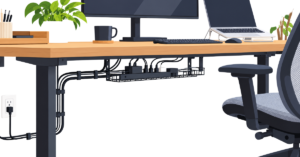
A desk can be well organized and still look cluttered because of the cables running behind it, beneath it and across the work surface. Laptop... Continue reading
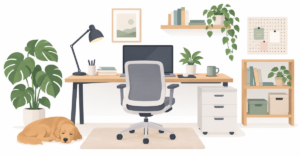
Working remotely gives you more control over where and how you work, but that freedom can also create new problems. A desk squeezed into a... Continue reading

Great Gifts Make Working From Home Better Working from home has changed the way millions of people live and work. For some, it means swapping... Continue reading