
No products in the cart.
Return To Shop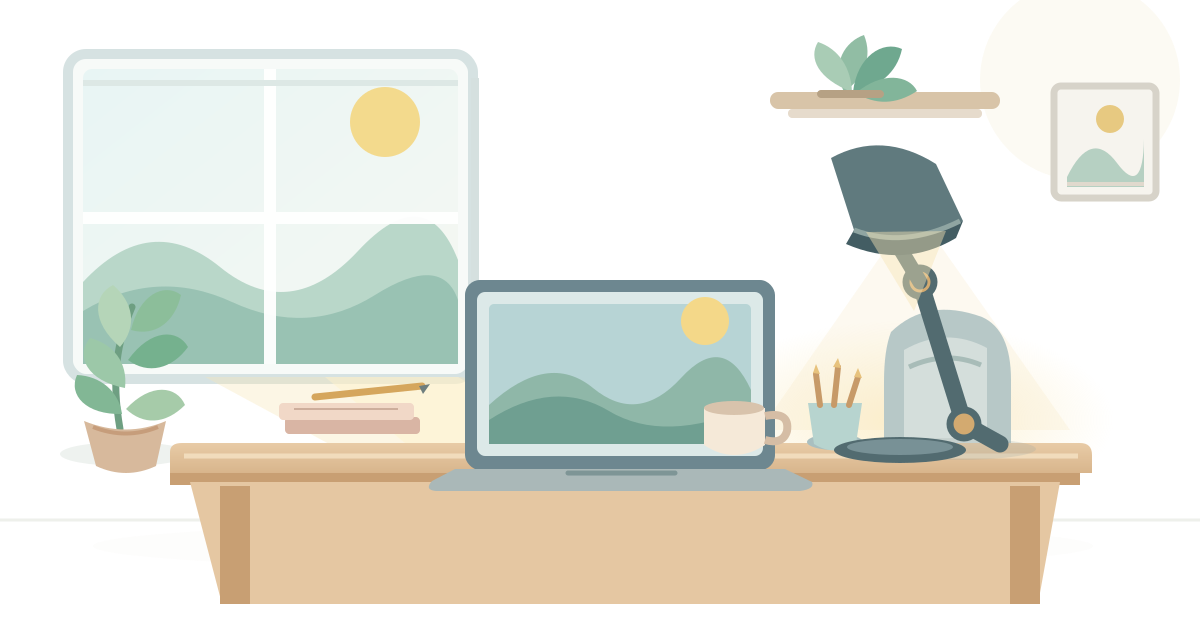
Home Office Lighting: How to Create a Comfortable Workspace for Everyday Work
A home office can have a good desk, a comfortable chair and all the equipment you need, yet still feel difficult to work in because of poor lighting. The room might be too dark during the day, overly bright in the afternoon or uncomfortable when light reflects off your computer screen.
These problems don’t always require a new lamp or a complete change to your workspace. Often, the issue comes down to how existing light enters the room, where your desk is positioned and how different light sources work together.
Good home office lighting starts with understanding the space you have. Natural daylight, general room lighting and focused task lighting all have different roles, and the right arrangement depends on the work you do and the conditions around your desk.
In this guide, we’ll explore how to assess your current lighting, make better use of natural light, reduce screen glare and arrange practical lighting for everyday tasks and video calls. We’ll also look at how to adapt your setup for small rooms, shared spaces and workspaces with limited daylight.
The goal isn’t to create a professionally designed office. It’s to make your existing workspace comfortably and practically lit for the way you work.
Start by Assessing Your Current Home Office Lighting
Before changing your home office lighting, spend some time observing how the room is currently lit. A workspace may look perfectly bright at one time of day but feel too dark or uncomfortable a few hours later.
Start by looking at your desk, computer screen and the surrounding room. Notice where the light comes from, which areas feel poorly lit and whether anything creates distracting reflections.
If you’re still planning the practical foundation of your workspace, our remote work setup guide explains how to build a workspace around your work, available space and equipment.
Pay particular attention to these three things:
- Dark areas: Are parts of your desk difficult to see, particularly when reading, writing or handling paperwork?
- Uneven brightness: Is one part of the room much brighter than the area where you work?
- Screen reflections: Does sunlight or an indoor light source reflect on your monitor and make it difficult to view?
Also notice how the room changes throughout the day. A window that provides comfortable daylight in the morning may allow much brighter sunlight to reach your desk later. Similarly, a workspace that relies mainly on daylight may need additional lighting in the evening.
You don’t need to measure the room or create a detailed lighting plan. Simply identify what feels uncomfortable, when it happens and which light source appears to be responsible.
This gives you a useful starting point. Instead of adding more lights without a clear reason, you can focus on improving the specific parts of your workspace that need attention.
Make Better Use of Natural Light
Natural light can make a home workspace feel more open and pleasant, but its usefulness depends on where your desk is positioned and how sunlight enters the room.
Rather than placing your desk wherever it fits and adjusting everything else around it, consider how the window affects your working area throughout the day.
Position Your Workspace in Relation to the Window
If possible, position your desk so natural light reaches the workspace without shining directly into your eyes or reflecting strongly on your monitor.
Having a window to the side of your desk can be a practical starting point. It allows daylight into the room while making it easier to manage screen reflections than placing the monitor directly in front of or opposite a bright window.
The best arrangement will depend on your room, window position and working habits. Try a few positions and notice which one provides comfortable light without interfering with your screen.
Manage Direct Sunlight and Excessive Brightness
Natural light isn’t always gentle or consistent. Direct sunlight can create bright patches on your desk, make your screen difficult to view and cause the room to feel uncomfortable.
Curtains, blinds or adjustable window coverings can help control how much sunlight enters the workspace. You can also change your desk or monitor position if direct light repeatedly becomes a problem.
The aim isn’t to block daylight completely. It’s to control excessive brightness while retaining the benefits of the natural light available.
Balance Daylight With Indoor Lighting
Natural light changes throughout the day. A workspace that feels sufficiently bright in the morning may become noticeably darker later, particularly when daylight is limited.
Use your existing room lighting or a suitable task light when daylight no longer provides enough illumination for your activities. You may not need the same lighting arrangement throughout the day.
Pay attention to how the different light sources work together. Adding a bright lamp to an already sunlit desk may create unnecessary glare, while relying entirely on fading daylight may leave your work area poorly lit.
The goal is to make natural light the starting point and supplement it when necessary, rather than expecting it to provide consistent illumination all day.
Understand the Main Types of Home Office Lighting
Home office lighting works best when you understand that different light sources serve different purposes. One light may brighten the entire room, while another provides focused illumination for reading, writing or other desk activities.
You don’t necessarily need several separate fixtures. The important thing is to understand what kind of lighting your workspace needs and whether your existing setup provides it.
Ambient Lighting for the Entire Room
Ambient lighting, also called general lighting, provides the overall brightness of a room. It helps illuminate the surrounding space so that your desk isn’t the only bright area while everything around it remains dark.
This light usually comes from ceiling fixtures, wall lights or other sources that spread illumination across the room.
For a home office, the aim is to create a reasonably even level of brightness without making the room uncomfortably bright. Relying entirely on a small desk lamp, for example, may leave the surrounding area noticeably darker.
Task Lighting for Focused Activities
Task lighting provides additional light where you need it for a specific activity. In a home office, this might mean reading printed documents, writing in a notebook or working with materials that require closer attention.
A desk lamp is a common example. Unlike general room lighting, it can direct light towards a particular work area and be adjusted or switched on when needed.
Its position matters. Light should reach the task without creating distracting reflections on your monitor or casting unnecessary shadows across the work surface.
You may not need separate task lighting for every activity. Consider where your existing room lighting falls short before deciding whether an additional source would help.
Additional Lighting for Specific Needs
Some workspaces benefit from supplementary lighting for particular situations rather than everyday desk work.
For example, a small light near a background or wall may help balance the appearance of a video-call area. A light directed towards a particular corner can also improve visibility where the main room lighting doesn’t reach effectively.
This type of lighting is optional. It should address a specific need rather than be added simply to make the room look more elaborate.
The simplest way to think about the three types is that ambient lighting brightens the room, task lighting supports the work you are doing, and supplementary lighting addresses a particular area or requirement.
You can combine these according to your workspace and daily activities. The aim is to provide enough useful light without introducing unnecessary brightness or distractions.
Lighting also contributes to how a workspace looks and feels. Our guide to home office decor explores how to make the space feel personal and visually cohesive.
Set Up Practical Desk and Task Lighting
Once you understand the lighting available in your room, look at how well it supports the activities you do at your desk. Reading documents, writing notes and working with smaller objects may require more focused light than general room lighting provides.
The goal is not to make your desk as bright as possible. It is to direct enough light towards the work area while keeping it comfortable and avoiding unnecessary reflections or shadows.
Position Light Where You Actually Need It
Place task lighting so that it illuminates the area where you read, write or handle paperwork. A light positioned too far away may not provide much benefit, while one placed directly in your line of sight can become distracting.
Think about how you normally use your desk. If you regularly switch between a monitor and printed documents, position the light to support both activities without shining directly onto the screen.
Also consider which hand you use for writing. Placing the light on the opposite side can help reduce shadows cast by your writing hand.
Avoid Shadows When Reading or Writing
Shadows can make ordinary desk activities less comfortable, particularly when light is blocked by your hand, monitor or other objects.
Notice whether your own position or the arrangement of equipment creates dark patches across the work surface. A small change in the direction or position of a light source may be enough to improve visibility.
Keep frequently used documents and working materials within the area that receives useful light. You should not have to move repeatedly into a poorly lit part of the desk to complete a task.
Adjust Light Direction and Brightness
A useful task light should be adjustable enough to suit different activities. Direct it towards the work surface rather than towards your eyes or the computer screen.
You may need a different arrangement when reading printed material than when typing or attending a video call. Adjust the light as necessary instead of leaving it in one position throughout the day.
Brightness matters too. Light that is too weak may not help with the task, while an unnecessarily bright source can become distracting. Aim for lighting that makes your work clearly visible without creating a harsh contrast with the surrounding room.
Keep Lighting Comfortable Around Your Screen
Your monitor should remain easy to view while your desk receives enough light for other activities. A task light that reflects directly on the display can interfere with visibility, even when the rest of the desk is well lit.
Position the light so that its beam falls on your work surface without pointing towards the screen. If you notice a reflection, try changing the light’s angle or moving it to another position.
You do not need a complicated lighting arrangement. A well-positioned light, combined with suitable room lighting, is often a more practical solution than adding several light sources without considering where their light falls.
Reduce Screen Glare and Lighting Discomfort
A workspace can have plenty of light and still be uncomfortable to use if that light reflects off your computer screen. Glare can make the display harder to see and may tempt you to change your sitting position or repeatedly adjust the screen.
Rather than simply reducing the amount of light in the room, identify where the reflections are coming from. A small change in screen position, window covering or light direction may solve the problem.
Understand Reflections on Your Monitor
Screen reflections usually come from direct sunlight, ceiling fixtures, desk lamps or other bright sources near your workspace.
Look at your monitor from your usual sitting position. Notice whether you can see a window, light fixture or bright patch reflected on the display. Also check whether nearby glossy surfaces are contributing to distracting reflections.
The position of your monitor makes a difference. Placing the screen at right angles to a window often helps prevent direct sunlight from falling onto it. Avoid placing the display directly in front of a bright window or with a window immediately behind you, where reflections can become difficult to control.
Balance Screen Brightness With the Room
Your monitor and the surrounding room should not feel excessively different in brightness. For example, working with a very bright display in a dark room can make the transition between the screen and its surroundings uncomfortable.
Start by adjusting your monitor’s brightness to suit the light available in the room. Revisit the setting when daylight changes or when you switch from daytime to evening work.
You can also improve the surrounding lighting rather than relying entirely on screen adjustments. A reasonably lit room helps create a more balanced working environment without requiring the monitor to be unnecessarily bright.
Adjust Window Coverings and Light Positions
When sunlight creates reflections, adjust the amount of daylight entering the room. Blinds, curtains or other suitable window coverings can help control strong sunlight while still allowing some natural light into the workspace.
If an overhead fixture or desk lamp reflects on the screen, try moving the monitor or changing the direction of the light. The aim is to keep useful illumination on your desk without directing it towards the display.
Make these adjustments at different times of day. A window that causes no problem in the morning may create reflections later as the direction and intensity of sunlight change.
Avoid Large Brightness Differences Around Your Workspace
Pay attention to the area immediately surrounding your desk, not just the monitor itself. A very bright window, a dark corner or a strong light source within your field of view can make the overall arrangement feel unbalanced.
Try to distribute light more evenly across the room. Use general lighting where necessary, control particularly bright sources and avoid leaving the area around your screen noticeably darker than the display.
It is also worth keeping your monitor and nearby surfaces clean. Dust and smudges can affect how clearly you see the display and may make existing reflections more noticeable.
The objective is not to eliminate every difference in brightness. It is to reduce distracting reflections and create a workspace where you can comfortably see both your screen and the surrounding work area.
Adjust Your Lighting for Video Calls
Lighting that works well for reading or working at your desk may not always work well on camera. During a video call, the position and direction of light affect how clearly your face appears and how balanced the background looks.
You do not need a professional lighting setup. A few practical adjustments to the light already available in your room can make your video-call arrangement look clearer and more consistent.
Make Sure Your Face Is Clearly Visible
Try to have a light source in front of you or slightly to one side so that your face is adequately illuminated. Natural light from a nearby window can work well, provided it is not too harsh or constantly changing.
If your face looks unusually dark on camera, check whether the main light source is behind you rather than in front. Changing your position or adjusting the light direction may improve the result.
Avoid Strong Backlighting
Sitting directly in front of a bright window can create a strong contrast between your face and the background. Your camera may expose for the brighter area, making your face appear darker.
Where possible, position your desk so that the window is beside you or in front of you rather than directly behind you. When changing the desk position is not practical, use curtains or blinds to soften the incoming daylight.
The same principle applies to bright lamps and other light sources behind your chair. Avoid placing a strong light directly in the background if it makes your face difficult to see.
Balance Your Face Lighting With the Background
A very bright background combined with a poorly lit face can make the video image look unbalanced. On the other hand, a completely dark background may make the workspace appear less natural.
Aim for a reasonable balance between the light on your face and the surrounding area. You can achieve this by adjusting your seating position, controlling nearby daylight or switching on the room lighting.
If you use a separate light for video calls, position it so that it illuminates your face without creating harsh shadows or shining directly into your eyes.
Check Your Appearance Before Important Calls
Lighting can look different on a camera than it does to your eyes. Before an important meeting, open your camera preview and check how your face and background appear.
Look for common problems such as a dark face, strong shadows, bright windows behind you or reflections from nearby lights. Make small adjustments rather than changing the entire room arrangement.
Also check the setup at the time of day when the call will take place. Daylight conditions can change, so a position that works well in the morning may look different in the afternoon.
The aim is simply to make sure that people can see you clearly without requiring an elaborate video-call lighting arrangement.
Adapt Lighting to Different Home Office Spaces
Not every home office has the same layout or lighting conditions. Some people work in a dedicated room with large windows, while others use a bedroom corner, a shared living space or a room with very little natural light.
Rather than following one fixed arrangement, adapt your lighting to the space you have. Focus on improving visibility, controlling glare and making sure the light supports your everyday work.
Lighting a Small Home Office
In a small workspace, light can be affected by the position of your desk, walls and nearby furniture. A single poorly positioned light source may leave parts of the desk too dark or create unwanted reflections on your screen.
Start by making the best use of any available daylight. Position your desk where natural light can reach it without shining directly onto your monitor.
Use the existing room lighting to illuminate the surrounding area, and add focused desk lighting only where necessary. Avoid filling a small workspace with multiple bright lights when a simpler arrangement would solve the problem.
Lighting a Bedroom Workspace
A bedroom workspace often shares its lighting with the rest of the room. The lighting arrangement that works for relaxing or general bedroom use may not provide enough visibility for reading, writing and computer work.
Consider the location of your desk in relation to windows and existing light fixtures. Make sure the work surface receives adequate light, particularly when natural daylight is limited.
Where possible, use separate lighting arrangements for work and relaxation. This makes it easier to provide focused illumination when working without keeping the entire bedroom brightly lit throughout the day.
Lighting a Shared or Multipurpose Room
When your workspace is part of a living room, dining area or another shared space, you may not be able to control the lighting independently.
Try to position your desk where it receives useful natural or general light without being affected by strong reflections. Consider how other lights in the room behave when switched on, especially during evening work.
A focused light near your desk can help distinguish the work area from the rest of the room. However, it should complement the existing lighting rather than create an isolated bright patch surrounded by darkness.
Lighting a Workspace With Limited Natural Light
Some home offices have small windows, face areas that receive little daylight or have no windows at all. In these situations, indoor lighting needs to provide most of the illumination.
Use general room lighting to brighten the overall space and focused task lighting where additional visibility is needed. Check that the desk, surrounding area and computer screen remain reasonably balanced in brightness.
Also pay attention to changes in your working schedule. When you work for long periods after sunset, make sure the lighting arrangement supports both screen-based activities and tasks such as reading or writing.
A workspace without much natural light can still be arranged practically. The important thing is to identify where additional illumination is needed instead of relying on one light source for everything.
Common Home Office Lighting Mistakes
Even a well-arranged workspace can have lighting problems when small details are overlooked. These are some common mistakes to watch for when setting up or improving your home office.
Relying on one light source for every activity. A ceiling light may brighten the room but still leave your desk poorly lit. Similarly, a desk lamp may illuminate your work surface while leaving the surrounding area too dark. Consider the different lighting needs of your room and daily activities.
Positioning lights where they create screen reflections. A desk lamp or ceiling fixture placed in the wrong position can reflect on your monitor and make the display harder to see. Check your screen from your usual sitting position and adjust the light or monitor if necessary.
Ignoring changes in natural light. Daylight conditions change throughout the day. A workspace that feels comfortable in the morning may become too bright or too dark later. Reassess your lighting as sunlight changes and adjust window coverings or indoor lights accordingly.
Making the room too bright or too dark relative to the screen. A very bright monitor in a dark room, or a dim display surrounded by strong lighting, can make the overall arrangement feel unbalanced. Aim for comfortable brightness across the screen and its surroundings.
Focusing on appearance instead of practical lighting. An attractive light fixture does not automatically provide useful illumination for working. Consider where the light falls and whether it supports your actual activities before choosing an arrangement based on appearance alone.
Adding more lights without identifying the problem. More light sources do not necessarily create a better workspace. First identify whether the issue is poor desk visibility, screen reflections, uneven room lighting or insufficient daylight. Then make adjustments that address that specific problem.
A practical lighting setup is usually the result of identifying and correcting these issues rather than continually adding new light sources.
Home Office Lighting Checklist: Five Steps to a Better Setup
Improving your home office lighting does not have to involve a complete room makeover. You can work through the following five stages to identify problems, make sensible adjustments and maintain a setup that supports your everyday activities.
1. Assess Your Current Lighting
- Identify where natural light enters the room.
- Check whether your desk and surrounding areas receive enough light.
- Look for dark areas, uneven brightness and screen reflections.
- Notice how the lighting changes throughout the day.
- Identify which activities need better illumination.
2. Position Your Workspace
- Arrange your desk to make useful use of available daylight.
- Avoid positioning your monitor where direct sunlight creates reflections.
- Consider the location of overhead lights and other indoor light sources.
- Position task lighting where it can illuminate your working area.
- Keep your desk arrangement practical for your daily activities.
3. Balance Different Light Sources
- Make sure general lighting illuminates the surrounding room.
- Use focused lighting where reading, writing or other activities require it.
- Avoid relying entirely on one light source.
- Keep the brightness of your screen reasonably balanced with the room.
- Avoid unnecessary differences between bright and dark areas.
4. Adjust for Different Working Conditions
- Change light positions if they create shadows or screen reflections.
- Adjust curtains or blinds when sunlight becomes too strong.
- Revisit monitor brightness as daylight changes.
- Check your face and background lighting before video calls.
- Adapt the arrangement for evening work or limited natural light.
5. Maintain Your Lighting Setup
- Reassess your lighting when seasons or daylight conditions change.
- Keep your desk and nearby surfaces clear of unnecessary obstructions.
- Clean your monitor and light fixtures when needed.
- Check whether your existing arrangement still supports your daily tasks.
- Make small adjustments whenever you notice a lighting problem.
You do not need to complete every item at once. Start with the problems that affect your workspace most, then make improvements gradually. A practical lighting arrangement should support your work without becoming another complicated system to manage.
Frequently Asked Questions About Home Office Lighting
1. How should I light my home office?
A practical home office lighting setup combines general room lighting with natural light and focused task lighting where needed. Position your desk to make useful use of daylight, keep the surrounding room reasonably illuminated and direct additional light towards activities such as reading or writing. Also check that your lights do not create distracting reflections on your computer screen.
2. Is natural light enough for a home office?
Natural light can provide much of the illumination needed during the day, depending on the room, window position and amount of daylight available. However, it may not be sufficient throughout the day or for every activity. You may need indoor lighting during darker hours, on overcast days or when parts of your desk receive limited daylight.
3. Where should I position a desk lamp?
Position a desk lamp so that it illuminates your working area without shining directly into your eyes or reflecting on your monitor. If you write by hand, placing the lamp on the opposite side of your writing hand can help reduce shadows. Adjust its direction according to the activity you are doing.
4. How can I reduce glare on my computer screen?
Start by identifying the source of the reflection. Adjust your monitor’s position, change the angle of nearby lights or use curtains and blinds to control strong sunlight. You can also adjust your screen brightness to suit the surrounding room. Check the display from your normal sitting position after making changes.
5. How should I light my home office for video calls?
Try to have a light source in front of you or slightly to one side so that your face is clearly visible. Avoid sitting directly in front of a bright window or placing a strong light behind you. Before an important call, check your camera preview and adjust the lighting if your face looks dark or the background appears excessively bright.
Conclusion
Good home office lighting is not about creating a professionally designed workspace or filling the room with multiple light sources. It is about understanding how light works in your space and making practical adjustments that support your everyday activities.
Start by assessing the natural and indoor lighting already available. Position your workspace thoughtfully, use focused lighting where necessary, control screen reflections and adjust your arrangement for activities such as video calls.
Your lighting needs may also change depending on the room, time of day and type of work you are doing. Revisit your setup whenever something feels uncomfortable rather than assuming that one arrangement will work perfectly in every situation.
You do not need to change everything at once. Small, well-considered adjustments can make your workspace more practical and comfortable for everyday work.
Related posts
A desk can be well organized and still look cluttered because of the cables running behind it, beneath it and across the work surface. Laptop... Continue reading

A home office can become cluttered even when you have enough space, suitable furniture and all the supplies you need. Papers pile up, cables spread... Continue reading
Working remotely gives you more control over where and how you work, but that freedom can also create new problems. A desk squeezed into a... Continue reading

Great Gifts Make Working From Home Better Working from home has changed the way millions of people live and work. For some, it means swapping... Continue reading